A CodeSee alternative that runs on your computer.
CodeSee was acquired by GitKraken in May 2024 and is no longer offered as a product of its own. If you want an automatic map of your codebase without connecting your repositories to a service, Nodeway builds one from a folder on your machine.
What happened to CodeSee
CodeSee made code maps: diagrams of a codebase that were generated from the code and stayed up to date with it. It was a hosted service that you connected to your GitHub repositories.
On 14 May 2024 GitKraken announced that it had acquired CodeSee and that code maps would become part of its own developer platform. Teams that used CodeSee on its own now need either a GitKraken product or a different tool.
How Nodeway compares
Nodeway starts from the same idea, a map that is built from the code so nobody has to draw it. The main difference is where it runs.
| CodeSee | Nodeway | |
|---|---|---|
| Where it runs | A hosted service connected to your GitHub repositories | A desktop app that reads a folder on your computer |
| Sign-up | Account and GitHub access | None |
| Your code | Read by the service | Analysed locally and never uploaded |
| Available today | As part of GitKraken's platform | Free download for macOS and Windows |
What Nodeway maps
Nodeway reads the repository down to individual functions, then links everything it finds.
- Files, folders, functions, components, routes and database tables, all on one map.
- Imports and calls between them, so you can see what uses what.
- Routes from 13 web frameworks and tables from 8 ORMs, including Next.js, Express, FastAPI, Django, Rails, Laravel and Prisma.
- Eleven languages: TypeScript, JavaScript, Python, Go, Rust, Java, C#, C and C++, Ruby, PHP and Shell. A repository that mixes them lands on a single map.
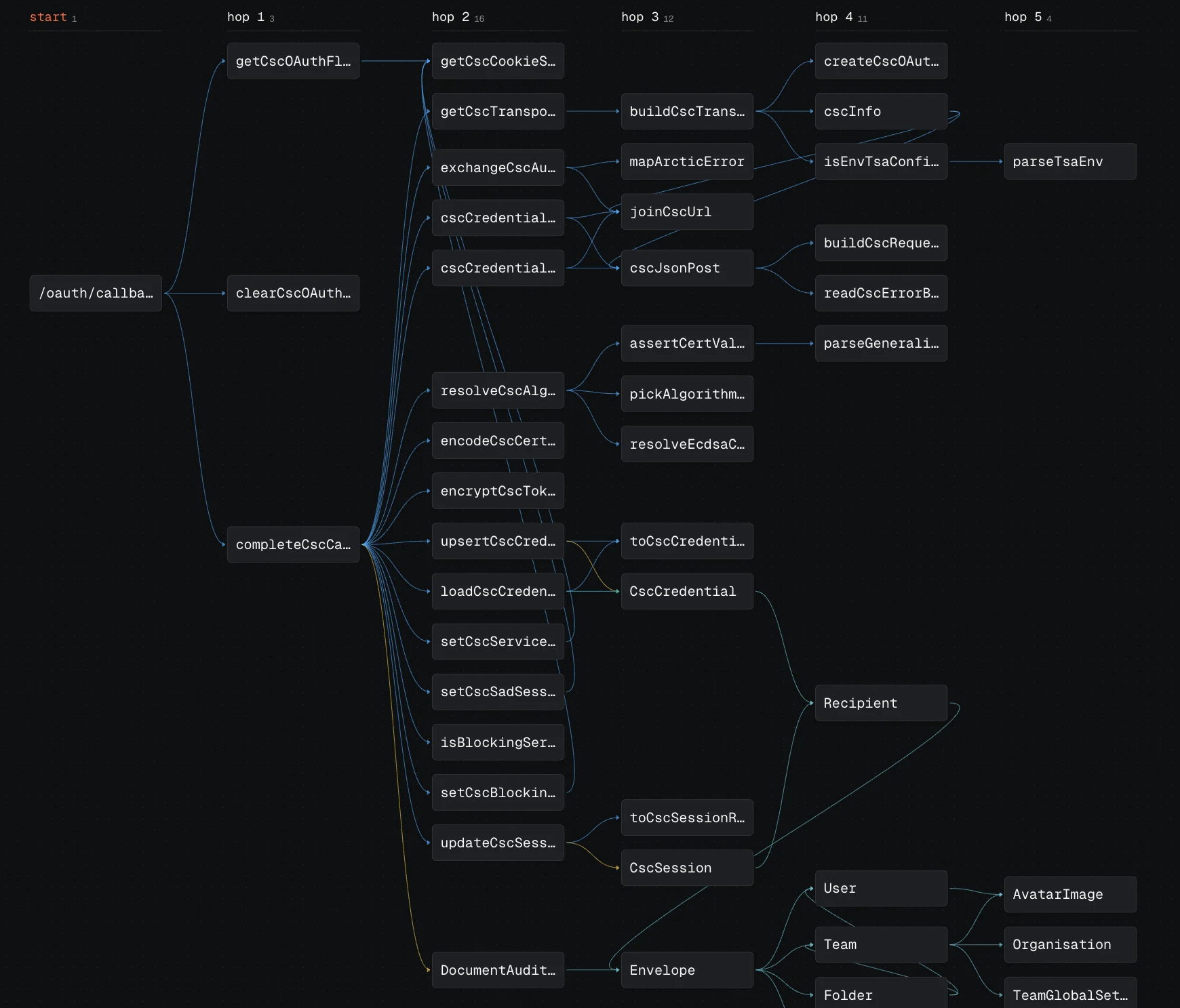
What you can do with the map
- Trace a request. Pick a route or function and follow it hop by hop to the exact tables it reads and writes.
- Search everything. One search covers files, functions, components, routes and tables.
- Read the code beside the map. Open any node and its source appears next to the diagram.
- Review a branch. See what a branch changes, highlighted on the map, before you read the diff.
- Ask a question. With your own AI key, ask in plain words and get an answer with a diagram of the code involved. This part is optional.
What Nodeway does not do
Nodeway is a tool for one developer on one machine. It is not a team service, so a few things CodeSee offered are missing.
- There are no hosted maps to share by link. Each person opens the repository in their own copy of the app.
- It does not post maps on pull requests in GitHub. Branch review happens inside the app.
- There is no Linux build yet. It runs on Macs with Apple silicon and on Windows 10 and 11.
Getting started
Download Nodeway, open the folder that holds your repository and wait for the map. Most repositories take under a minute, and each map is cached per commit, so opening it again is instant. If you are new to the codebase, the guide on how to understand a large codebase walks through where to look first.